Your email signatures,centralized
Discover the most accessible, modern and simple platform for creating and automating email signatures.


Run your workspace from Claude, ChatGPT or Cursor. Import employees, edit and deploy signatures straight from your AI.
1. Create your workspace
Sign up, name your organization, add your logo and colours. Free for 1 user.
2. Import your employees
By hand, from a CSV file or, from the Starter plan, from Microsoft 365 or by pasting a signature (AI). The employee portal then has them complete their profile.
3. Create a template
Start from a gallery template or from scratch in the editor, with help from AI. Preview it with your employees' data while you design.
4. Deploy
From the Starter plan, in one click for the whole organization, through the Google API or the Outlook add-in: signatures are inserted automatically. On the Free plan, you copy your signature and paste it into your email app.
Complex signatures, made simple
Everything you need to manage an organization's signatures.
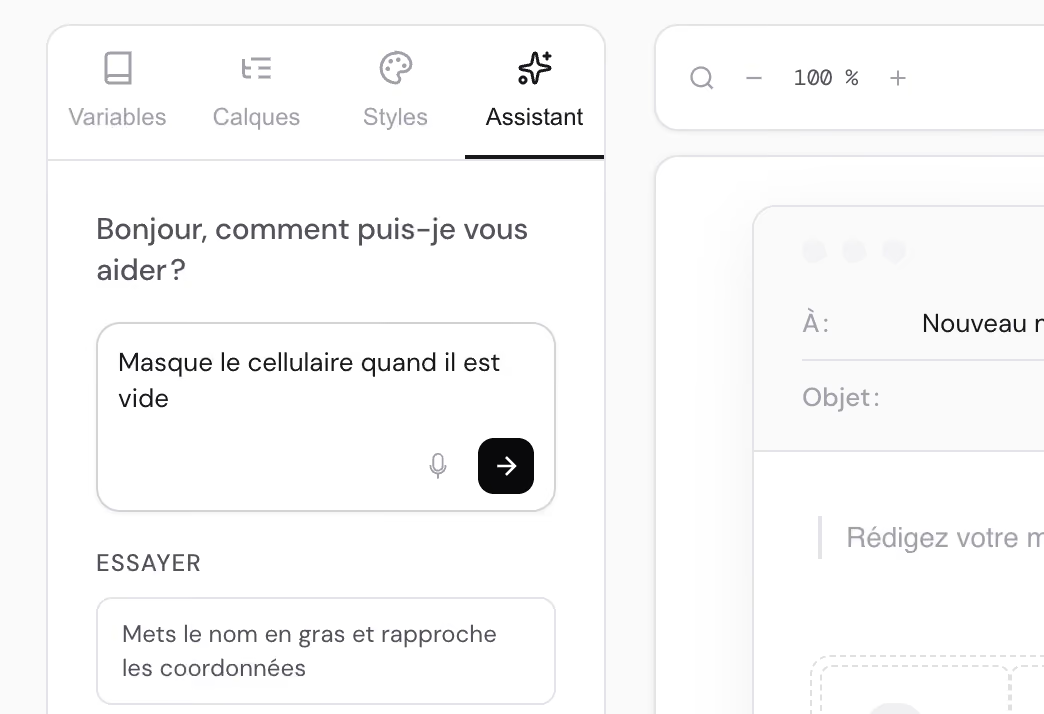
AI-powered template editor
Build your signature visually, start from your current signature with AI, or describe your edits to the editor assistant (Starter plan and up), which knows your colours and fields. Works with Outlook, Gmail and Apple Mail.
Dynamic fields
Every piece of employee data becomes a variable. With display conditions, a single template can cover the whole team.
Google Workspace and Microsoft 365
Automated deployment through the Google API or the Outlook add-in, from the Starter plan. For other email apps, the signature is delivered by email or link.
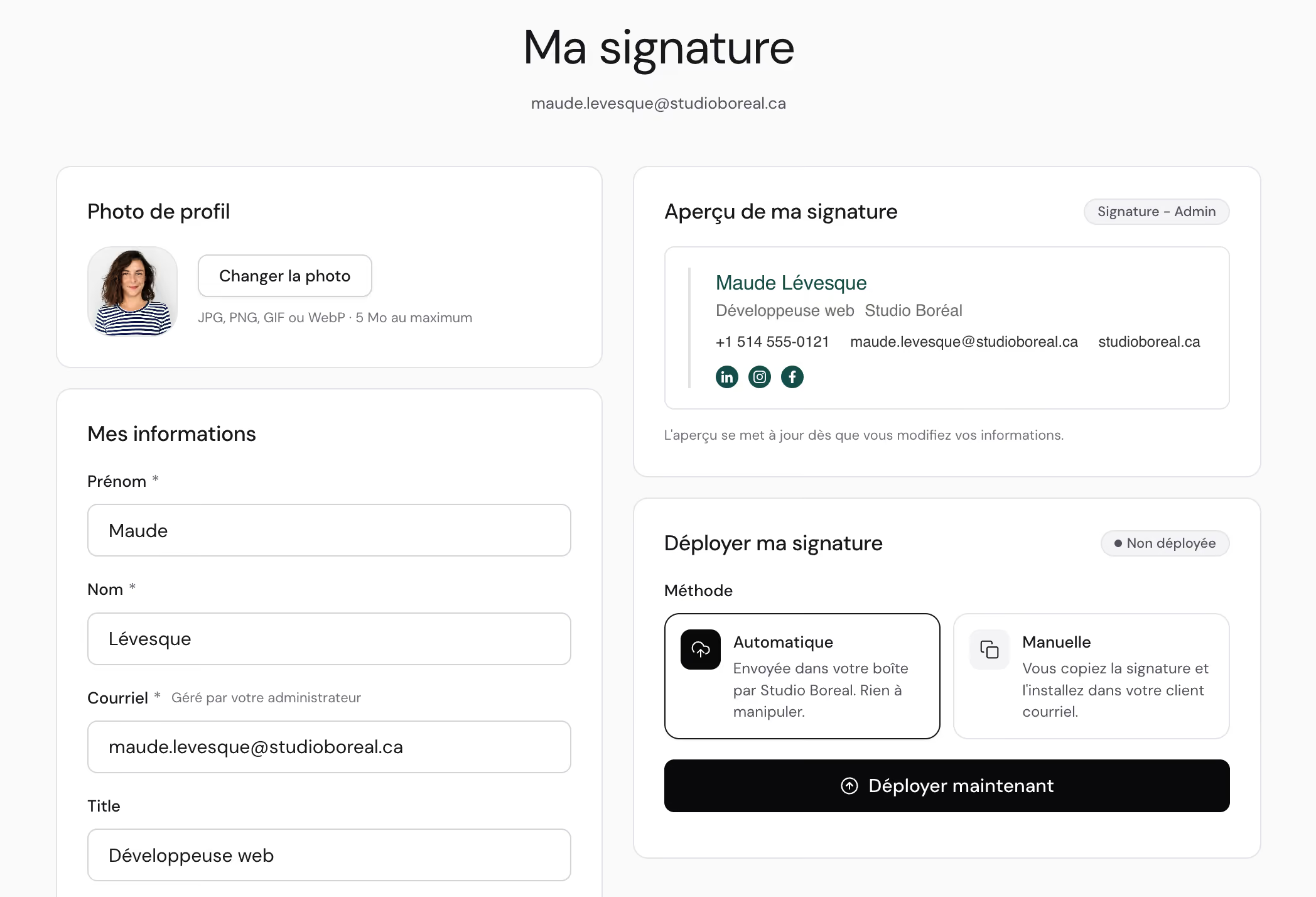
Employee portal
Three modes to choose from: disabled, collect each profile and photo, or full self-service where employees manage their own signature and deployment.
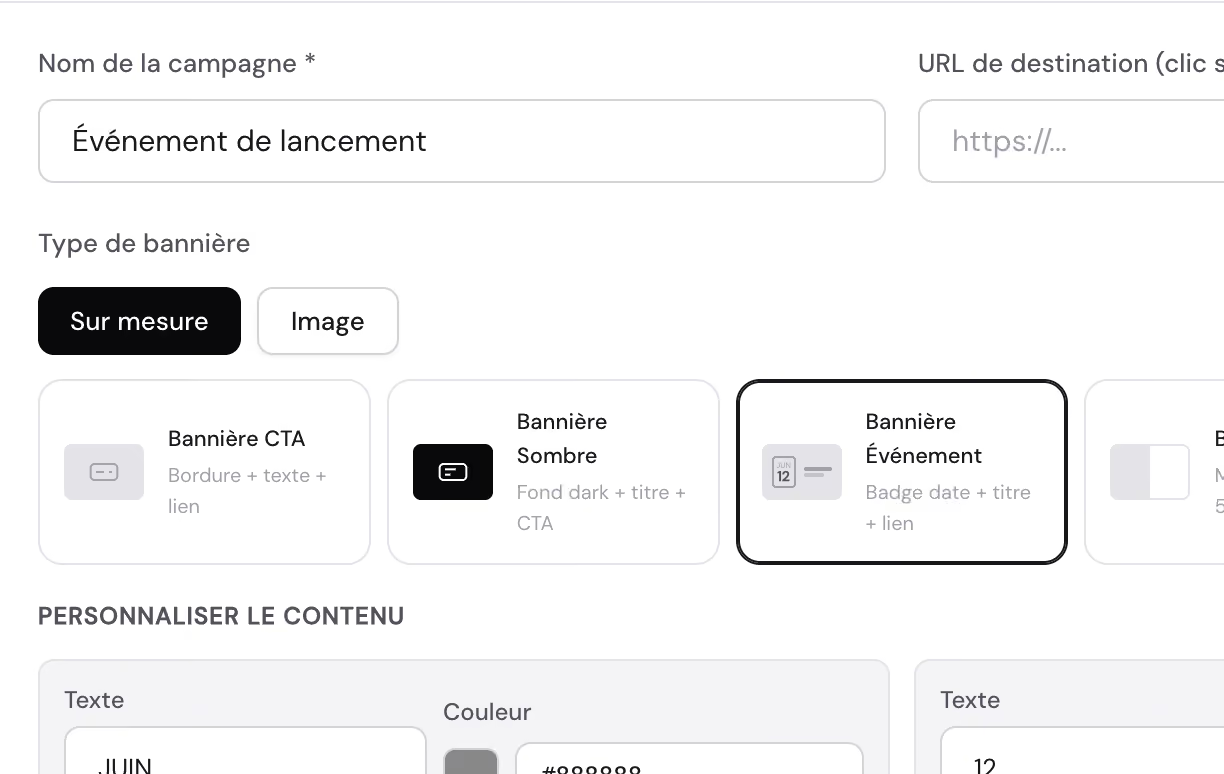
Promotional campaigns
A promotion or event in every selected signature template, from the Starter plan. The banner appears and disappears by itself on the dates you choose in automatically deployed signatures; a signature pasted by hand keeps it until it is copied again.
Claude and ChatGPT
NouveauMCP server and Markdown documentation: from the Starter plan, your AI assistants import, assign, edit and deploy for you. The app also has its own built-in AI for many tasks.
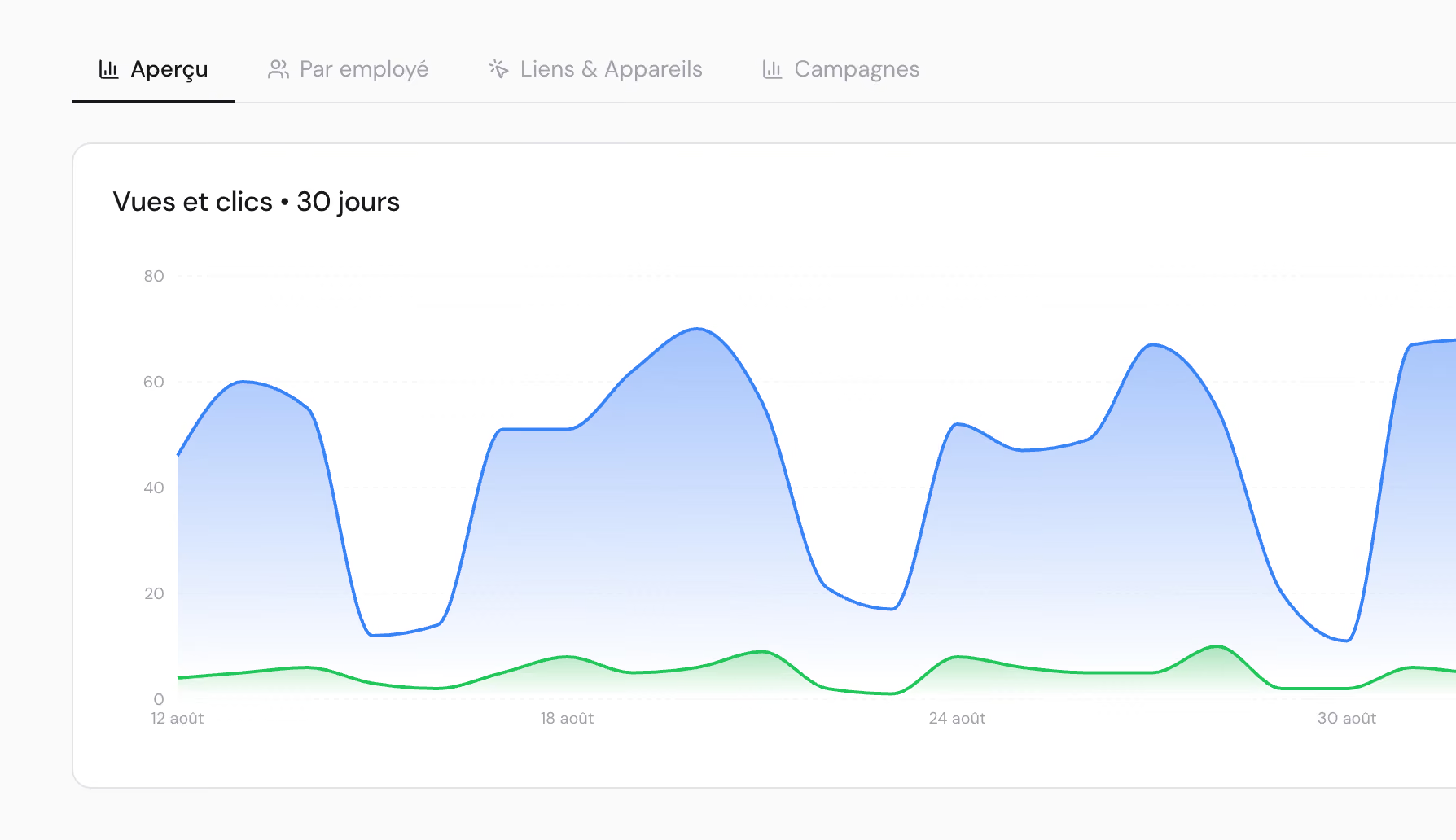
Analytics
Views, clicks and click-through rate by employee, link and device, with no cookies and no IP addresses. Exportable to CSV and designed with Quebec's Law 25 in mind. Starter plan and up, turned on in Settings > General.
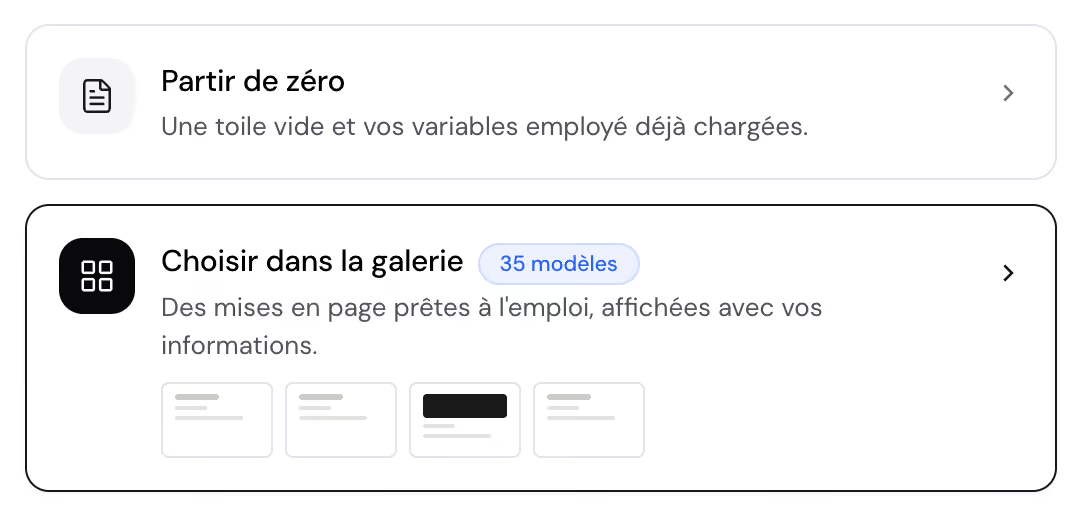
Template gallery
Templates tested in real email clients, ready for your logo, colours and fields. Fully editable.
A clear interface, from the first setting to deployment
From branding to deployment, see every screen of our app at a glance. Swipe through the ten modules, in the order you'll use them.
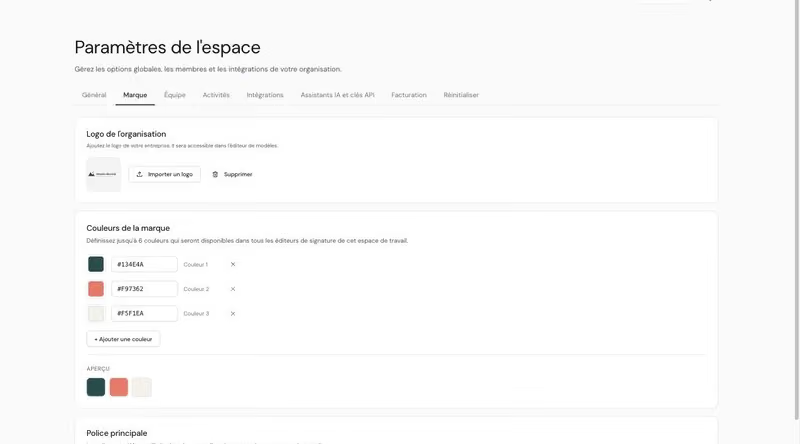
Workspace and branding
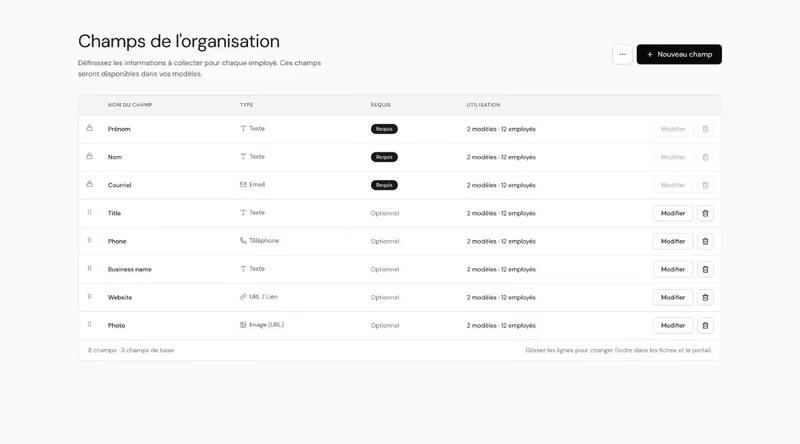
Fields
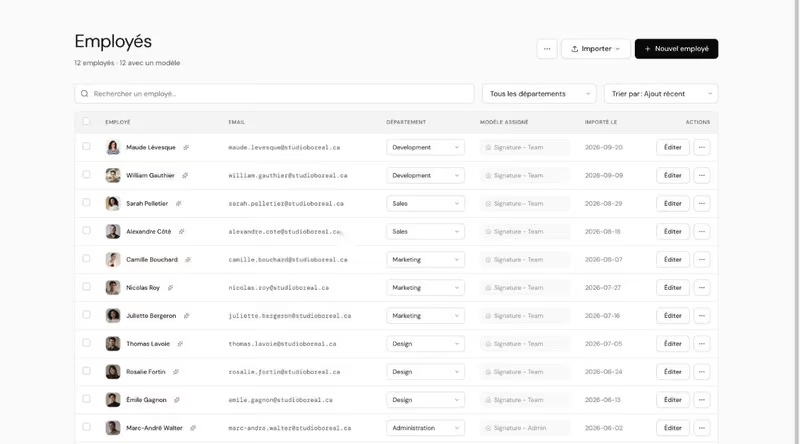
Employees
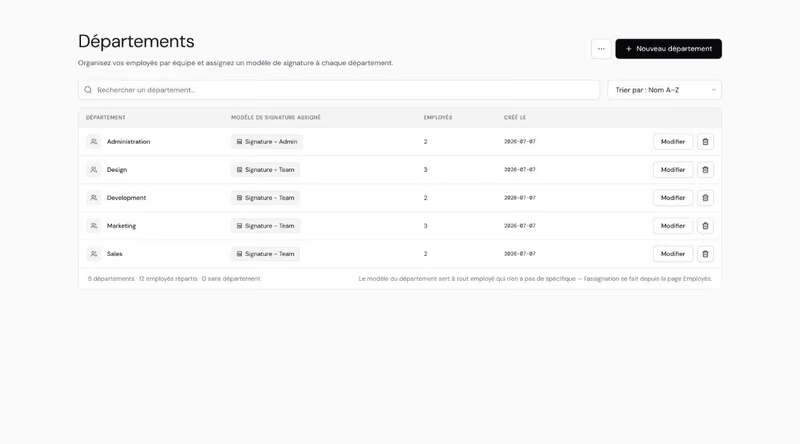
Departments
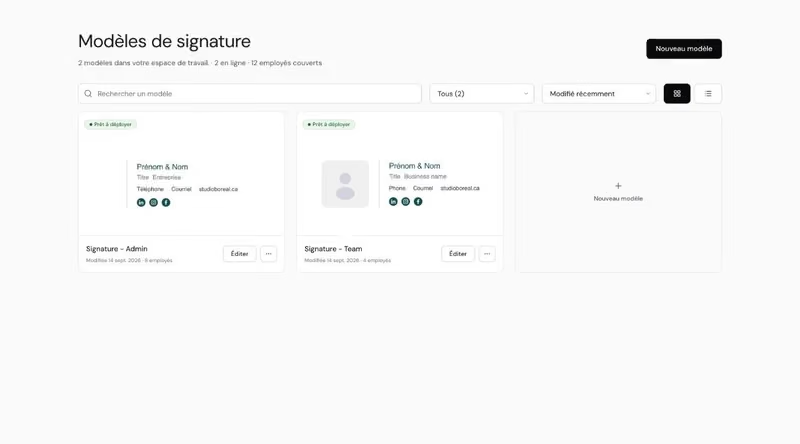
Templates
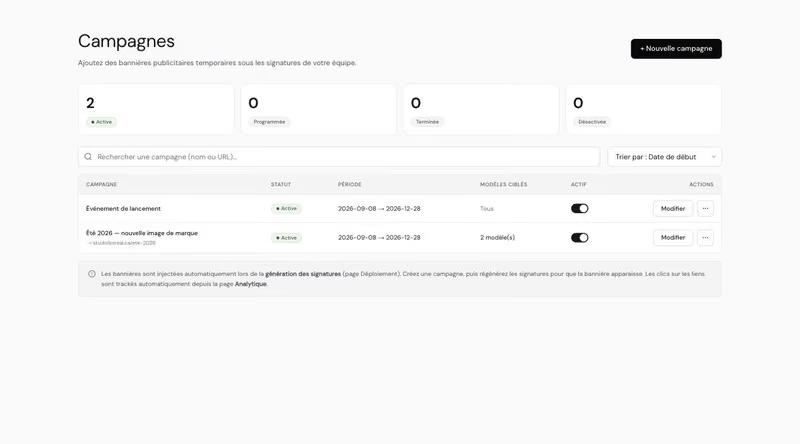
Campaigns
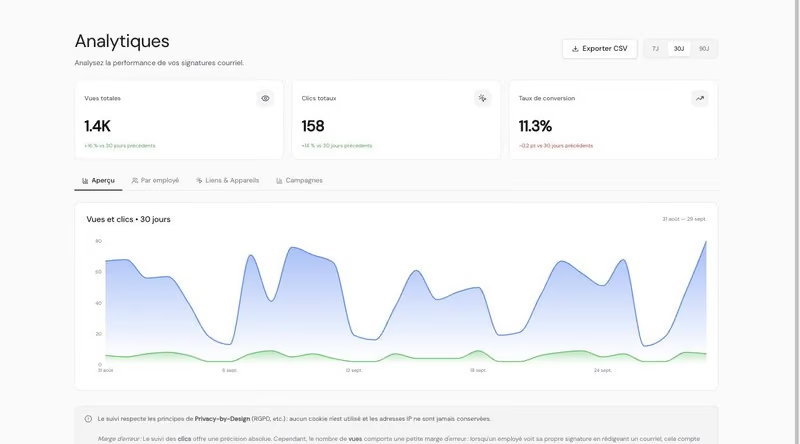
Analytics
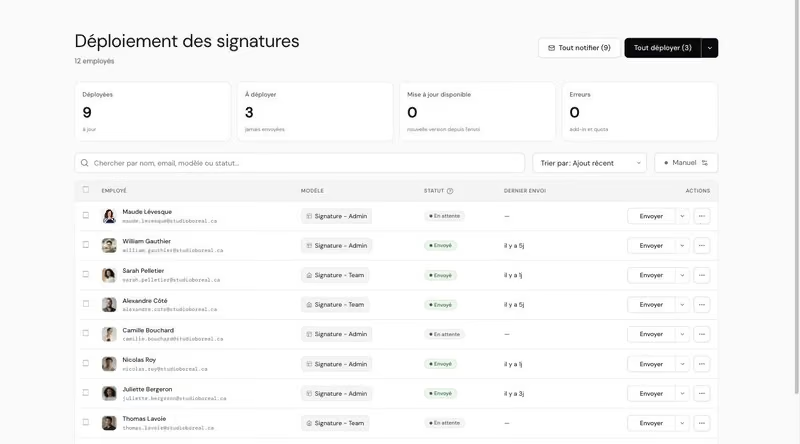
Deployment
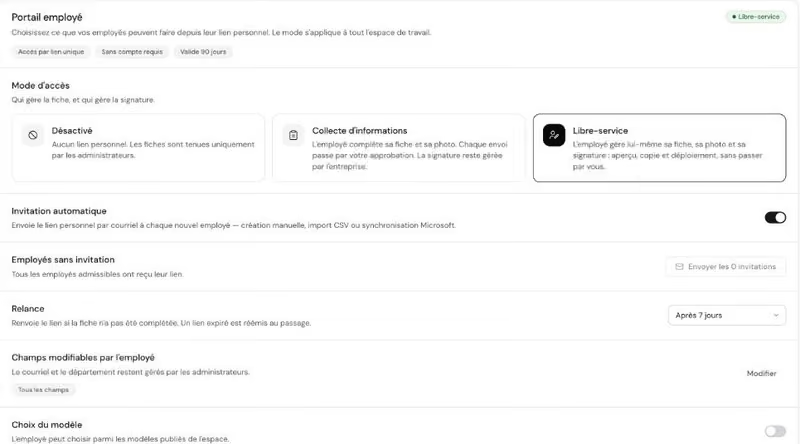
Employee portal

Send by email
Why choose Gensy?
The big players handle deployment well. Gensy adds what a local small business expects: simple management, simple pricing, reachable support and AI assistants that work for you.
Built-in AI assistant
Data import and cleanup, automations, template design, support and more
Google Workspace and Microsoft 365 deployment
Google service account, Outlook add-in manifest
Scheduled banner campaigns
Switched on and off automatically by date
Mid-tier plan or higher
Included
View and click analytics
By employee, by link, by device
Top-tier plan only
No cookies, no IP addresses
Employee self-service portal
Each employee updates their profile and photo, no account needed
Fields limited by plan
All your workspace's fields (unlimited from the Essential plan)
MCP server
Run your workspace from Claude and ChatGPT
Free plan
Try it with no time limit
14-day trial
1 employee, 1 template
No minimum number of users
Made for small teams
10-user minimum
From 1 employee
Support in English and French
A local team that answers in your time zone
Comparison based on publicly available pricing (September 2026). Grey check = offered, but limited or reserved for a higher plan. At GENSY.EMAIL, the AI assistant, MCP server, automated deployment, campaigns and analytics are included from the Starter plan; the Free plan covers your own profile, 1 template and manual deployment.
Need a hand?
Three ways forward, depending on how much time you have: read the documentation, ask the assistant from your workspace, or let us handle the setup.
Documentation
Getting started guide, Google setup, Microsoft setup, API reference. Every page is also available in Markdown, so Claude, ChatGPT or Cursor answer from the real documentation.
Help in the app
Ask our AI assistant (Starter plan and up) or write to us with “Write directly”, from the Help & support button at the top of every page. The first time you log in, follow the guided tour of the app and of the template editor.

We can help you set up your workspace
Rather hand it off? Our team imports your employees, rebuilds your current signature as a template and handles deployment with your admin.
Free to start.
Pay as your team grows.
Run your workspace from Claude, ChatGPT or Cursor. Import employees, edit and deploy signatures straight from your AI.
© 2026 GENSY.EMAIL (Agence Hélium Inc.)
All rights reserved.
(website)Have a web or app project?
Hire the team behind gensy.email